
Srank Digital blog · Dubai
Google Maps Ranking Guide for Dubai Businesses (Local SEO)
How Google decides which Dubai businesses appear in the map pack, and a step-by-step plan to improve your Google Business Profile and local rankings.
By Santhush Wijerathna, Digital Marketing Specialist · Srank Digital Dubai
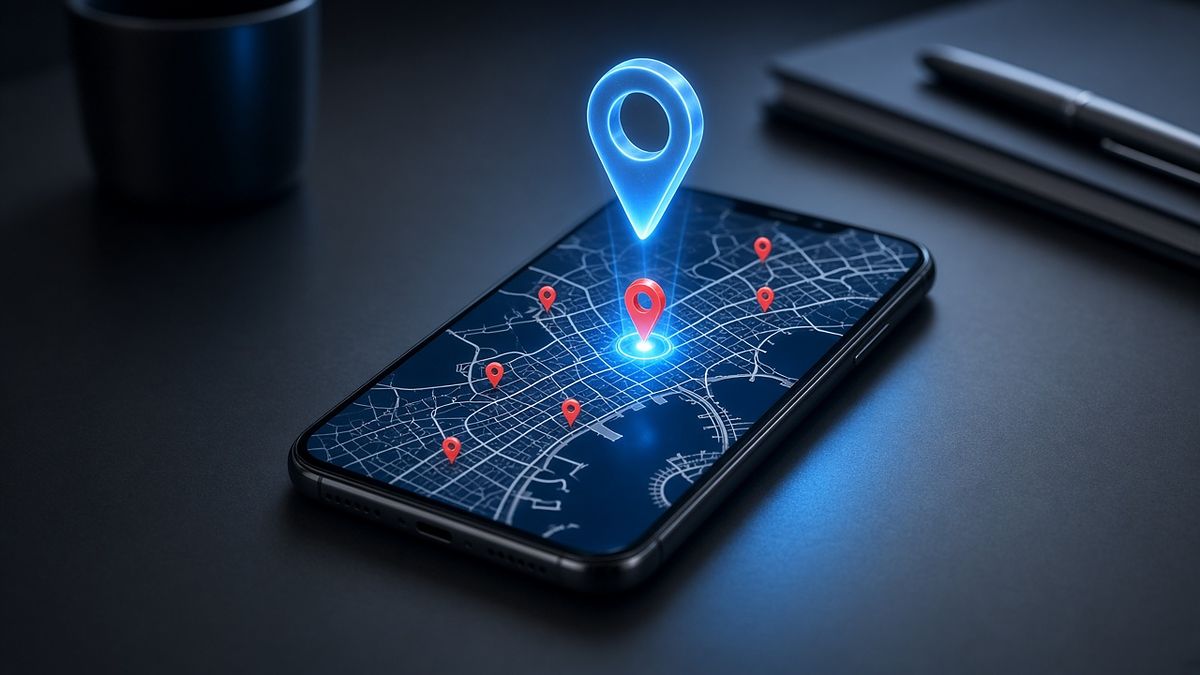
When someone in Dubai searches for “dentist near me”, “car service Al Quoz” or “cafe in JLT”, Google usually shows a map with three businesses before any normal website results. Being in that map pack can bring a steady stream of calls, direction requests and WhatsApp messages. This guide explains how Google Maps ranking works and what you can do, step by step, to improve your position.
How Google decides who ranks on Google Maps
Google states that local results are based mainly on three factors, explained in its Google Business Profile help article on local ranking:
- Relevance: how well your Business Profile matches what the person searched for.
- Distance: how far your business is from the searcher, or from the location mentioned in the search.
- Prominence: how well known and trusted your business is, based on information from across the web, including reviews, links and articles.
You cannot change your distance from a customer, but almost everything else in this guide improves relevance and prominence.
Step 1: Claim and verify your Google Business Profile
Everything starts with a verified profile. Search for your business on Google Maps. If it already exists, claim it; if not, create it at Google Business Profile. Google will ask you to verify that you own the business, which can involve a video recording of your premises, a phone or email code or other checks. Use your real business name exactly as it appears on your signage and trade licence. Adding keywords or area names to the business name breaks Google’s guidelines and can lead to suspension.
Step 2: Choose the right categories
Your primary category is one of the strongest relevance signals. Choose the most specific category that describes your main service, for example “Dental clinic” rather than “Clinic”. Then add secondary categories for other services you genuinely offer. A quick way to research this is to search for your main keyword in your area and note the categories used by the businesses in the top three positions.
Step 3: Complete every section of your profile
Incomplete profiles lose to complete ones. Fill in:
- Address (or service areas if you visit customers and do not serve them at your premises)
- Phone number, ideally a local number that customers can also use on WhatsApp
- Website link, pointing to the most relevant page on your site
- Business description that explains what you do and which areas of Dubai you serve
- Services or products, each with a short description
- Opening hours, kept accurate including holidays such as Eid
- Attributes, booking links and any other options available for your category
Step 4: Keep your business details consistent everywhere
Your business name, address and phone number (often called NAP) should be the same on your website, Google Business Profile, Facebook, Instagram and business directories. Inconsistent details, such as an old phone number or a different building name, make it harder for Google to trust your information. Review the main directories and map platforms your business appears on and correct anything out of date.
Step 5: Add real photos and post regularly
Photos help customers choose you and show Google your profile is active. Add clear photos of your storefront or building entrance (so people can find you in a busy area like Al Barsha or Business Bay), the interior, your team and your work. Then use Google posts to share updates, offers and news a few times a month. An active profile tells customers you are open and responsive.
Step 6: Earn genuine reviews and reply to all of them
Reviews are a major part of prominence and one of the first things customers read. Ask happy customers for a review at the right moment, for example after a job is completed, and make it easy with a direct review link sent on WhatsApp. Reply to every review, positive or negative, politely and professionally. Never buy reviews or post fake ones: Google actively removes them and can restrict or suspend profiles that break its policies.
Step 7: Strengthen the website page your profile links to
Google uses your website to understand your business. The page your profile links to should clearly mention your main service and your area, show the same name, address and phone number as your profile, include an embedded map and ideally carry LocalBusiness structured data. A fast, mobile-friendly page with helpful content also improves the chance that visitors who click through will contact you. Our SEO services cover exactly this kind of page optimisation.
Step 8: Track and keep improving
Use the performance section of your Business Profile to see how many people called, requested directions or visited your website, and which search terms found you. Check your map position for your main keywords from different points around your location, since rankings change street by street in Dubai. Then repeat what works: more photos, more posts, more reviews and better website content.
Common Google Maps mistakes Dubai businesses make
- Stuffing keywords or area names into the business name
- Using a virtual office or fake address to appear in another area
- Leaving the profile unverified or with the wrong primary category
- Ignoring negative reviews instead of replying professionally
- Linking the profile to a slow or irrelevant website page
Need help ranking on Google Maps?
Local SEO takes consistent effort, but it is one of the most valuable things a Dubai business can invest in. If you would rather have it handled for you, our local SEO and Google Business Profile service covers setup, optimisation, posts and review replies, and our Google Maps SEO service focuses on moving you into the top map results. Message us on WhatsApp or call 054 147 3108 to talk it through.
Get in touch
Need help with your digital marketing?
Message Srank Digital on WhatsApp or call 054 147 3108.
Al Barsha 1, Al Barsha, Dubai, UAE · 054 147 3108 · srankdigital@gmail.com
Digital marketing services in Dubai
Website Design & Development
Fast, mobile-first WordPress websites and landing pages with WhatsApp and call buttons built in.
From AED 700 one-time
Web Design Dubai →
Website SEO
Keyword research, page optimisation, technical fixes and content that move your website up Google.
From AED 1,000/month
SEO Services Dubai →
Local SEO & Google Business Profile
Google Business Profile setup, optimisation, posts, review replies and business directory listings.
From AED 400/month
Local SEO Dubai →
Google Maps SEO
A focused strategy to rank higher in the Google Maps local pack for your area and services.
From AED 400/month
Google Maps SEO Dubai →
Google Ads Management
Campaign setup, location targeting, keywords, ad copy, conversion tracking and ongoing optimisation.
From AED 500/month
Google Ads Agency Dubai →
Facebook & Instagram Ads
WhatsApp enquiry campaigns, lead generation, promotions, retargeting and scroll-stopping ad creatives.
From AED 500/month
Facebook Ads Agency Dubai →
Social Media Management
Content calendars, posts, captions, publishing and Facebook and Instagram profile management.
From AED 600/month
Social Media Marketing Agency Dubai →
Content Creation
Promotional graphics, reels, video editing, website copy and advertising content that sells.
From AED 400/package
Content Creation Dubai →
Website Maintenance
Updates, backups, content changes, broken-link fixes and troubleshooting for your website.
From AED 400/month
Website Maintenance Dubai →